How to Use Electronic Navigation Without Over-Relying on It
Sooner or later, this happens to everyone.
We are motoring back towards a familiar harbour. The chartplotter is showing the route we drew earlier, the boat symbol is sitting nicely in the channel, and we are half watching the screen while thinking about what we are having for supper.
Then the boat symbol jumps.
One second we are in the channel. The next, the screen says we are on dry land half a mile inshore.
Something has clearly gone wrong with the position, the chart display, or the way the system is interpreting information.
That is what this article is about.
Electronic navigation is brilliant. We are not going to say “put the tablet away and do it the hard way,” because that would be daft. Most of us now navigate mainly with screens, whether that is a fitted chartplotter, a tablet, a phone, or a mix of all three.
But, we need to trust the screen the right amount. Enough to use it properly. Not so much that we stop looking out of the window.
Digital First, Not Digital Only
The RYA is moving navigation training in a Digital First direction, which makes sense because it reflects how most of us actually navigate now. Plotters, apps, AIS, digital weather, and electronic tidal information are part of normal boating. The RYA’s own eNavigation guidance describes the need to embed digital navigation techniques alongside traditional techniques in shorebased courses such as Day Skipper and Yachtmaster.
That is a good thing.
But Digital First does not mean digital only.
It means we use electronic tools as our main navigation tools, while keeping the judgement and backup skills that let us check them, question them, and carry on safely if something stops working.
Primary system. Independent backup. Skipper judgement.
What We Mean by Electronic Navigation
Let’s get the words straight first, because they get thrown around a bit.
A chartplotter is the fitted screen that shows the boat’s position on an electronic chart. A tablet or phone running an app like Navionics or Savvy Navvy can do a similar job. Different box, same broad idea.
The position usually comes from GPS, or more accurately GNSS. GNSS stands for Global Navigation Satellite System. GPS is the American system, and it is the name most people use in everyday speech, but GNSS is the wider term covering systems such as GPS, Galileo, GLONASS, and BeiDou.
So if we are being technically tidy, we say GNSS. If we are chatting on deck, most of us still say GPS. Don’t worry, we know what we mean.
On top of that, we might also have AIS, which shows vessels that are transmitting AIS data, and radar, which can detect land, rain, and targets around us when it is set up and interpreted properly.
Together, these tools give us a pretty incredible picture. They show where we are, where we are going, what is nearby, what the tide might be doing, and what the weather is expected to do next. That is a huge safety gain, especially when we are short-handed. A skipper who is not buried in the chart table every few minutes has more time to keep watch, talk to the crew, spot problems, and make decisions.
So yes, we should use electronic navigation. Just not blindly.
What Usually Goes Wrong First
When people talk about electronic navigation failing, they often jump straight to GPS jamming and spoofing. We will come to that, because it is real. But for ordinary leisure sailors, especially around the UK coast, the more common problems are usually much less dramatic.
The tablet goes flat. The plotter is unfamiliar. The wrong chart layer is showing. The safety depth is not set. The route line has been drawn over a shallow patch. We are zoomed out too far. The AIS target we were expecting never appears because the other vessel is not transmitting. A cable gets wet, a fuse goes, or the boat battery has a bad day.
Nothing very Hollywood. Just normal boat stuff.
So before we worry about electronic warfare, we should make sure we are not relying on a tablet at 12 percent battery with no charger, a plotter we have never used before, and a route we have not checked at the right scale.
That is where good electronic navigation starts.
Power Failure
A chartplotter is an electrical device, and a boat is a wet, salty, vibrating place. It is not the friendliest environment for electronics.
A flat battery, a corroded connection, water in a plug, a blown fuse, or someone accidentally switching off the wrong breaker can leave us with a blank screen. If we have a second chartplotter at the chart table, both rely on the same boat battery, that is not much of a backup. When the battery goes, both go.
So we need some independence.
That might mean a phone or tablet with offline charts and its own full battery. It might mean a power bank in a dry bag. It might mean a handheld GPS. It might mean paper charts, compass, depth, and eyes.
The exact setup will vary from boat to boat, but the principle is simple. If one thing fails, something else still works.
GNSS Signal Problems
The satellite signal reaching our receiver is very weak by the time it arrives. That is why it is vulnerable.
A stronger signal nearby can drown it out. That is jamming. A false signal can make the receiver believe it is somewhere else. That is spoofing.
This is not imaginary. In January 2026, coastal states around the Baltic Sea and North Sea, along with Iceland, published an open letter warning that GNSS interference and AIS manipulation are creating growing risks to maritime safety, especially in European waters such as the Baltic Sea region.
For ordinary UK coastal sailing, GNSS interference is still unlikely to be the thing that catches us out. We are more likely to be caught by a flat battery, a poor setup, an unfamiliar plotter, or a simple lack of checking.
But the habits that protect us from normal failures also protect us from GNSS interference. Have an independent backup. Know roughly where we are. Check the screen against what we can see. Keep navigating, rather than just following.
Chart Display Problems
The chart itself can also catch us out.
On many vector chart systems, detail is scale-dependent. Zoom out too far, and smaller hazards may be hidden or simplified to keep the screen readable. On raster charts, the information does not declutter in the same way because they are more like scanned versions of paper charts. But if we zoom out too far, the detail can still become too small to read properly.
Either way, the danger is the same. We think we have checked the area, but we have not checked it at the right scale.
That little rock, drying patch, obstruction, or depth contour might be there, but if we are zoomed out too far, we may not notice it.
So get into the habit of zooming in where the boat actually is, and where the boat is actually going. Zoom out for the big picture. Zoom in for the danger.
The Route Line Is Not the Skipper
A route line is just a line we drew.
It does not know whether the tide is pushing us sideways. It does not know whether the crew are tired. It does not know whether the wind has built against the tide. It does not care whether we are about to pass too close to a pot marker, a shallow patch, or an angry fishing boat.
It is just a line. Useful, yes. Clever, sometimes. But still a line.
This is one of the easiest traps with electronic navigation. The screen looks so confident that we start treating the route as if it has made the decision for us. It has not.
We still need to check what lies along it, whether the boat is actually following it, and whether the plan still makes sense.
Radar Is Useful, But It Needs Practice
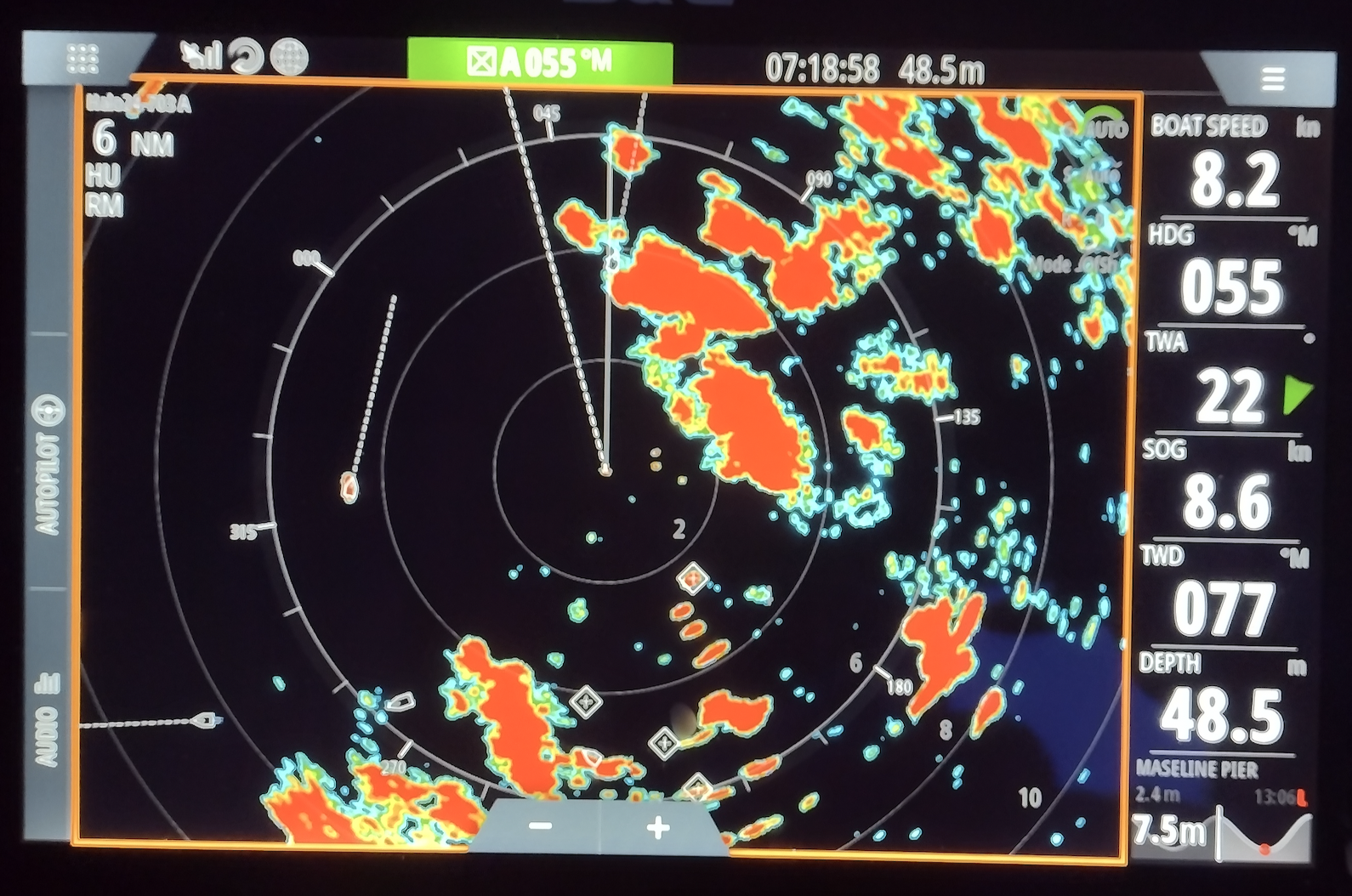
Radar can show us things AIS cannot. Land, rain, squalls, some vessels that are not transmitting AIS, and hard targets in poor visibility.
But radar is not magic either. It needs to be switched on, warmed up, tuned, and interpreted. Gain, sea clutter, rain clutter, range, orientation, trails, and target movement all affect what we see.
A radar screen we only look at for the first time in fog is not going to feel friendly. If we have radar onboard, it is worth using it on easy days too. Look at a headland in clear weather, then look at the radar. Look at a buoy, then look at the radar. Look at a ferry, then look at the radar.
That way, when visibility drops, we are not trying to learn the display and solve the problem at the same time.
The One Habit That Fixes Most of This
Ask this question often: does the screen match the world?
Not once at the start of the trip. Often.
The plotter says the buoy should be off the port bow. Is it? The chart says we should be in 8 metres. Are we? The route says we should pass north of the headland. Does that line up visually? The AIS says a vessel is passing clear ahead. Can we see it, and does it look right?
The depth, the buoys, the land, the compass, the tide, and our eyes are all part of the navigation picture.
If they agree, great. If they do not agree, slow down and work out why.
Keep a Mental Fix Running
We do not need to plot a full paper fix every five minutes on a normal day passage. But we should always have a rough answer to one question: if the screen went dark right now, where are we?
That might be as simple as, “we are just south of the green buoy, still in the channel, with 4 metres under the keel, heading towards the harbour entrance.”
That little running picture makes a huge difference. If the plotter fails, we are not starting from a blank page. We already know roughly where we are, what is around us, and where safe water lies.
Set the System Up Before We Need It
A couple of minutes at the start of a passage can save a lot of faff later.
Before we lean on the electronics, check whether the chart data is up to date, the correct chart layer or mode is selected, the GPS/GNSS fix is healthy, and the safety depth is set for this boat. Check whether shallow-water alarms are sensible, or whether they have been left from a previous boat. Check the route at a useful zoom level, make sure the VHF is receiving position data if it is DSC-equipped, and make sure the tablet or phone is properly charged.
Then ask the backup question. If the main screen went dark, would the backup still work?
What Makes a Good Backup?
A backup needs to be independent.
A second screen is not a proper backup if it depends on the same battery, the same GNSS source, the same internet connection, and the same fragile charging setup.
A good backup might be a paper chart, compass, depth sounder, and visual pilotage. It might be a phone or tablet with offline charts and its own battery. It might be a handheld GNSS, a power bank kept dry and charged, a written passage plan with key courses, distances, hazards, and alternatives, or a mix of these.
For most small boats, paper is still the simplest backup because it needs no power, does not share a fuse with the plotter, and cannot lose satellite signal. But the core principle is not “paper for the sake of paper.”
The core principle is independence. If the main system fails, the backup still needs to work.
Common Mistakes We See
A few of these come up again and again.
The first is staying zoomed out. Zoomed out looks tidy and gives us the whole passage on one screen, but tidy can be dangerous if the detail disappears.
The second is trusting the route line too much. The route line is the route we drew. It is not a guarantee of safe water. Check along the line at the right scale, especially near headlands, harbour entrances, shoals, rocks, and drying areas.
The third is assuming AIS shows everything. AIS shows vessels that are transmitting AIS. That is all. It is useful traffic information, but it is not a complete picture of everything around us.
The fourth is treating the backup as a spare screen. A spare tablet is great, but if it is flat, has no offline charts, or relies on the same power supply as the main plotter, it may not help when we need it.
And lastly, not knowing the plotter. Charter boats are the classic one here. We step onboard, see a nice big plotter, and assume we will work it out underway. Then we are approaching a busy harbour trying to find the right button while the boat is moving, the crew are asking questions, and the depth is getting interesting.
Spend five minutes with the plotter before leaving. Find zoom, route, waypoint, range, chart layers, brightness, alarms, and how to get back to the main navigation screen. Future us will be very grateful.
Practise the Failure on a Calm Day
The best time to find out how we cope without the plotter is a flat, sunny afternoon in waters we know. Not a black night off an unfamiliar coast.
So now and then, turn the screen off on purpose for 20 minutes. Use the compass, the depth, the buoys, the land, the paper chart, or an independent backup. Keep a rough position in mind and navigate the boat without the main display.
It might feel a bit odd the first time. That is the point.
We are finding out, safely, what we lean on too heavily and what skills have gone a bit rusty.
This is the blend we want. Use the electronics fully, but keep enough skill underneath that losing them is a nuisance, not an emergency.
Electronic and Traditional Tools
It helps to stop thinking of this as screen versus paper. It is better to think about which tool is best for which job.
| Job | Useful tools | What to remember |
|---|---|---|
| Live position | Plotter, tablet, or phone | Brilliant when working, but check it against depth, buoys, land, and common sense |
| Big-picture planning | Paper chart | We get a large scale and large coverage. |
| Traffic awareness | AIS and radar | AIS only shows transmitting vessels. Radar needs tuning and interpretation |
| Backup position | Paper chart, compass, depth, eyes, handheld GPS, or independent app | It must still work if the main system fails |
| Final decision | Skipper judgement | The tools provide information. We decide whether the picture makes sense |
That bottom row is the bit to hold onto. The tools give us information. We make the decision.
Do We Still Need Paper Chartwork?
Yes, but not because paper is somehow morally superior.
Paper chartwork teaches the thinking underneath the screen: course, position, tide, leeway, depth, hazards, and pilotage.
Once we understand those things, the chartplotter makes much more sense. We are not just following a symbol. We understand what the symbol is supposed to be showing us, and we have a better chance of spotting when something feels wrong.
That is why traditional skills still belong in modern navigation training. Not as nostalgia, but as backup, understanding, and judgement.
How Worried Should We Be About GNSS Jamming?
For most UK coastal sailors, not very worried. Aware, yes. Worried, no.
GNSS interference is a real and growing issue in some parts of the world. The Baltic Sea, Black Sea, Red Sea, Strait of Hormuz, and other regions have all seen serious reporting around interference, jamming, or spoofing. The Royal Institute of Navigation has also highlighted the growing need for GNSS resilience in maritime operations.
But for a normal UK day sail, the more likely problem is still something much more ordinary: battery flat, tablet overheated, wrong setting, unfamiliar plotter, or no independent backup.
The good news is that the same habits protect us from both. Keep position awareness, check the screen against the world, carry an independent backup, and know what we would do if the screen went dark.
Then we can stop worrying and go sailing.
What If the Screen Goes Dark?
If the plotter or tablet fails, the first job is to stay calm. Slow down if we need to, hold safe water if we can, and get someone to keep a proper lookout.
Then build the picture again.
Where were we a minute ago? What heading are we on? What depth do we have? What can we see? Where is the nearest safe water? What is the tide doing? Can we use a buoy, transit, contour, headland, compass bearing, or depth line to confirm where we are?
This is why that little mental fix is so useful. If we knew roughly where we were before the screen failed, we are already halfway there.
A dead screen is annoying. Being completely surprised by where we are is the real problem.
Where This Leaves Us
Electronic navigation has made boating safer, easier, and more accessible. Good. Let’s use it.
But let’s use it like skippers, not passengers.
What Next?
If you want to understand the tides, fixes, chartwork, and pilotage that sit underneath every plotter screen, that is exactly what we build in Day Skipper Theory.
We teach navigation in a way that matches how we actually use boats now: digital first, but with the underlying skills to check, question, and back it all up.
RYA Day Skipper Theory Online | Qualification benefits | Training pack contents | Ardent Training